decision claude/atlas-api
Bucket key is {api_token, route_class}, not api_token alone. A read loop must never starve a payout. Rejected: one global bucket per token (simpler, but it couples the two failure modes).
Desktop · macOS & Linux · v0.3.1
Claude Code, Codex, Opencode, Gemini, Copilot, Cursor and raw shells, against every repo in a project at the same time.
Live terminals, a branch per directory, one diff across all of it, and a memory store the agents share.
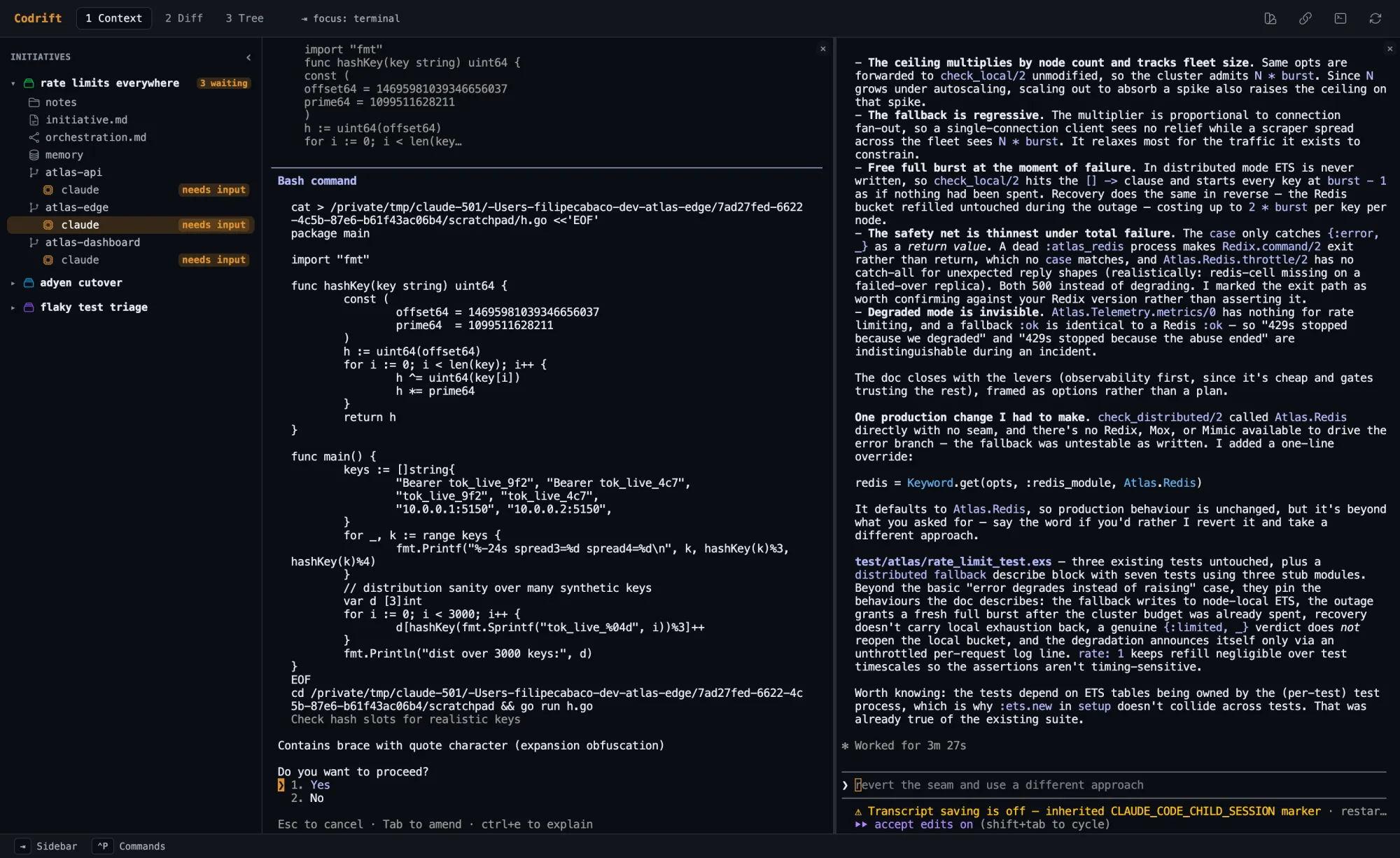
Four agents, three repos, one window. Live, from a real session.
j k hold a lane still, the same keys that move the sidebar cursor in the app.
01 / floor
Codrift does not wrap your agents or paraphrase them. Each one runs in a real PTY and renders byte-for-byte in an embedded terminal, so Claude Code looks like Claude Code and Codex looks like Codex. Split the pane and watch two of them at the same time.
Claude Code, Codex, Opencode, Gemini, Copilot, Cursor, and a raw
$SHELL. Start any of them against any
directory; run several in the same one if you want a second opinion.
Claude sessions are persisted and resumed. Quit Codrift, come back, and the agent picks up the conversation instead of starting over.
02 / attention
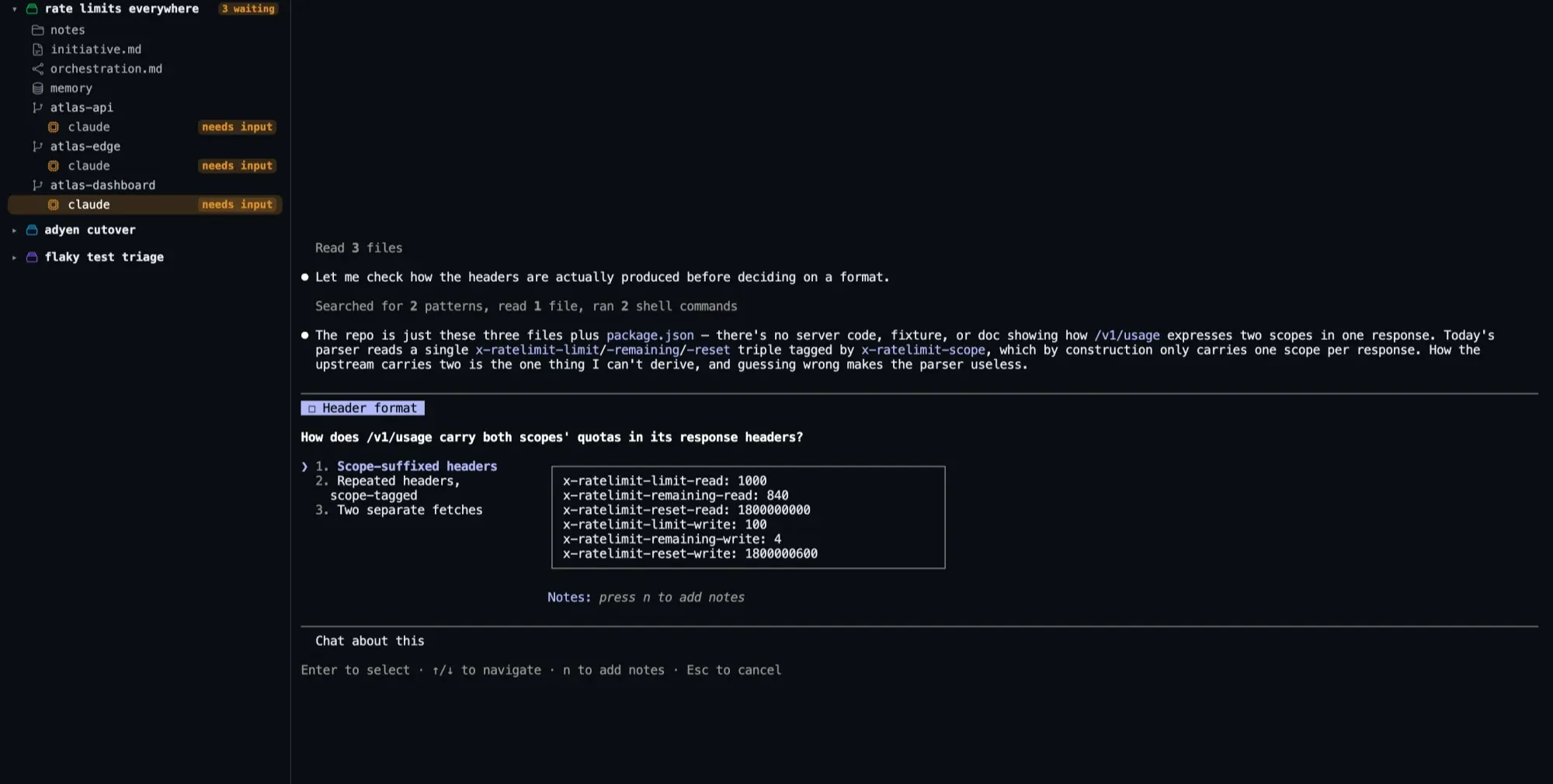
Four agents will produce more work than you can read. The job is no longer typing, it is routing yourself to the one that is actually stuck. A row of terminal tabs cannot tell you which: a tab title carries the repo name, never the fact that an agent stopped ten minutes ago to ask something. So you check all four, every time. Codrift makes it a glance: every agent carries a state, the sidebar rolls them up per initiative, and anything waiting on a human says so in words, not just colour.
running
Working. Leave it alone.
needs input
Asked you something. This is the only one that costs you time.
idle
Finished its turn, holding the session.
stopped
Exited or crashed, with its exit code.
03 / conductor
Codrift ships an MCP server. Point one agent at it, give it the initiative, and it plans the work, starts sub-agents in the other directories, sends them instructions, reads their output, and writes what it learns to the shared memory. There is no glue code and no orchestration DSL: the conductor is just an agent with tools.
Press o to start orchestration on the selected
initiative, or wire the MCP server into your own tooling with
codrift mcp install.
orchestration.md, read by the conductor
# Rules for workers

- Read the initiative memory
  before touching anything.
- Write a decision entry the
  moment you pick between
  two approaches.
- Never widen the public API
  without saying so in memory
  first.
- Stop and report if a change
  would need a migration.

## Merge order

edge -> api -> dashboard
04 / isolation
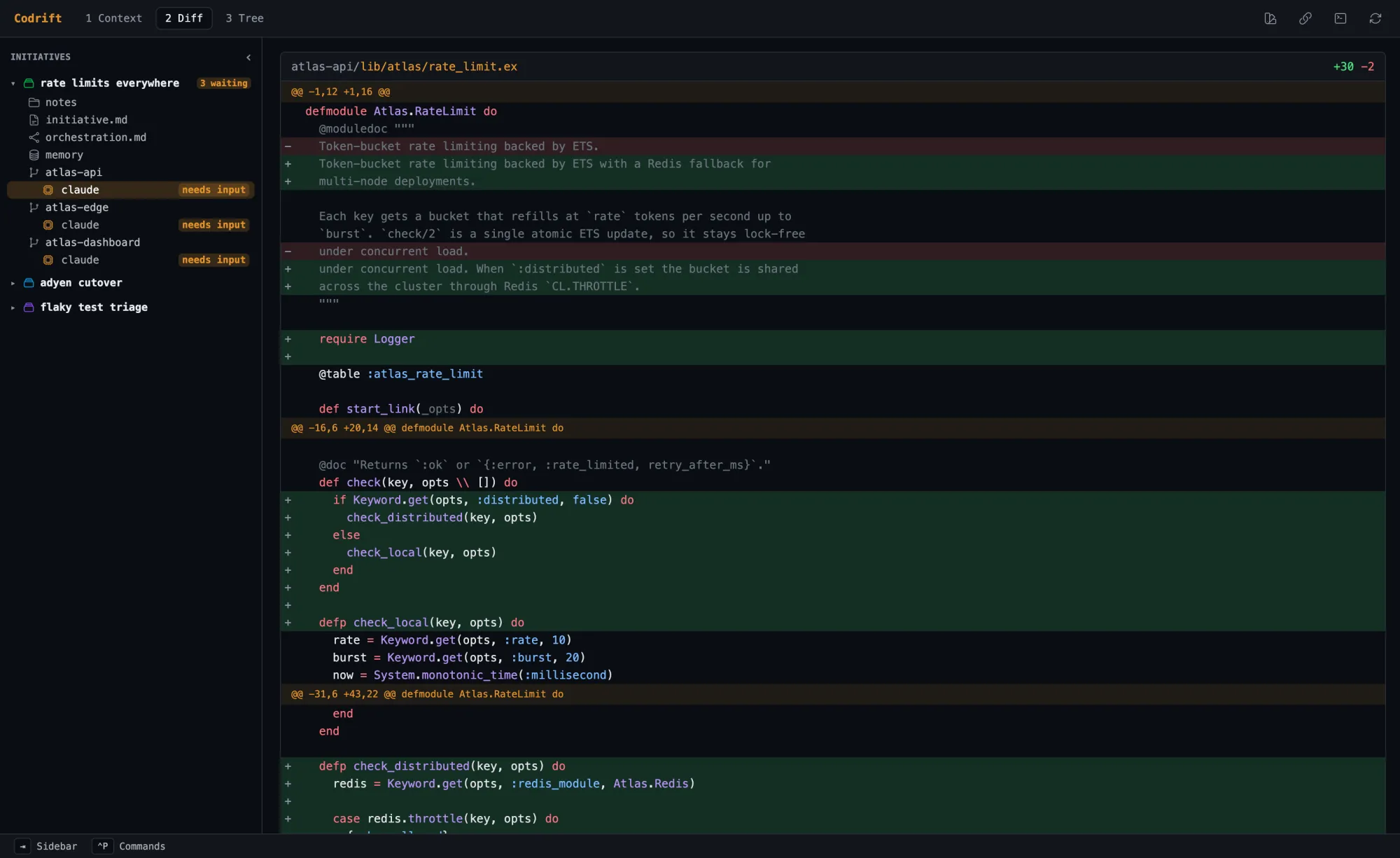
Turn on worktrees for a directory and Codrift checks it out on
codrift/{id}/{slug} before any agent starts.
Parallel agents stop colliding, and nothing lands in your working tree until you
decide it should. The diff view shows every change across the whole initiative in one
scroll, so review is one pass, not six.
05 / memory
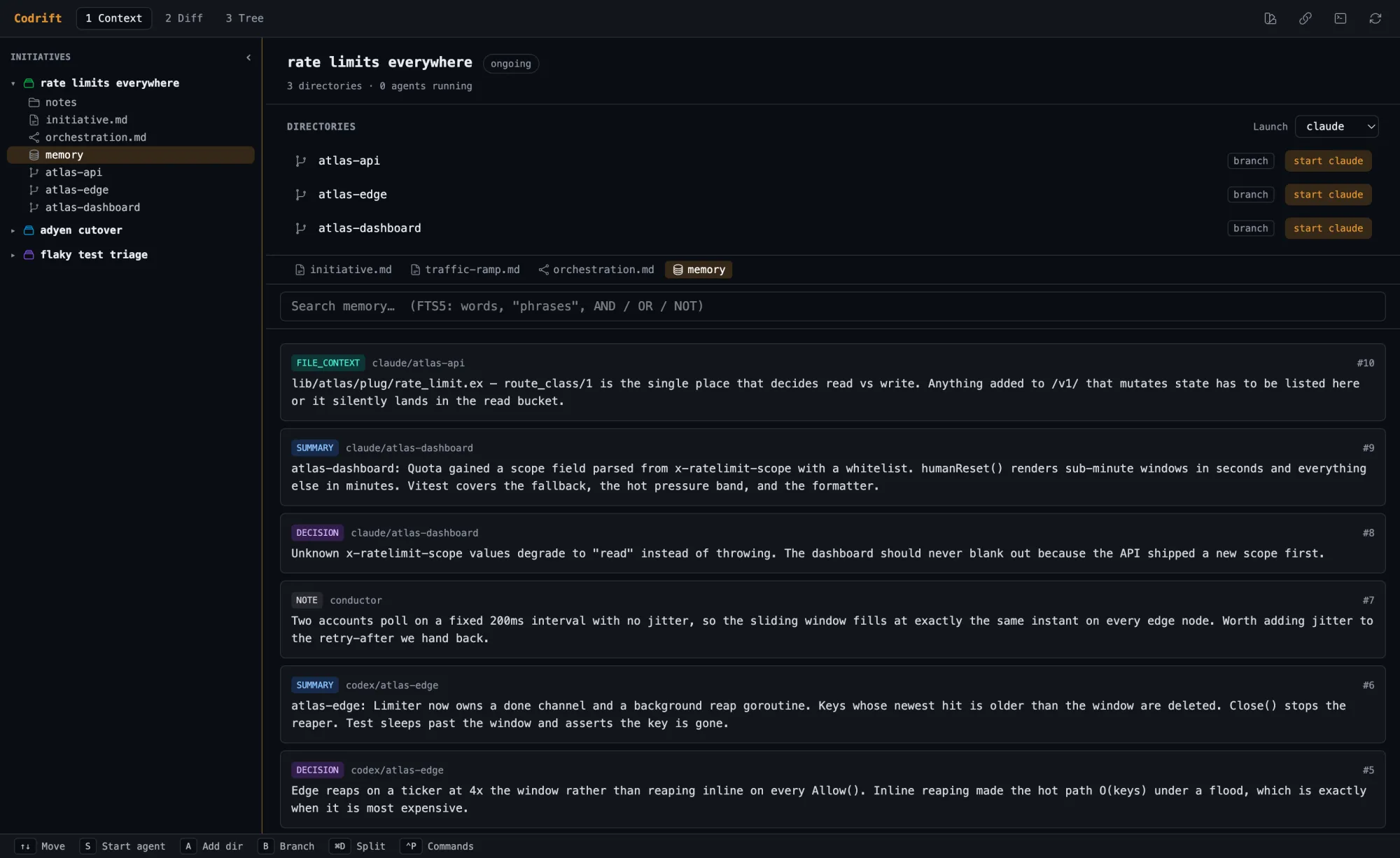
Every initiative carries a searchable SQLite FTS5 store. Agents read it before they start and write to it when they decide something. The next agent inherits the reasoning instead of rediscovering it, which is cheaper in tokens and much cheaper in contradictions.
decision claude/atlas-api
Bucket key is {api_token, route_class}, not api_token alone. A read loop must never starve a payout. Rejected: one global bucket per token (simpler, but it couples the two failure modes).
snippet claude/atlas-api
defp encode({token, class}), do: "rl:#{class}:#{token}"
The edge must produce the identical key or the two layers count separately.
note conductor
Two accounts poll on a fixed 200ms interval with no jitter, so the sliding window fills at exactly the same instant on every edge node.
06 / keys
The keyboard is the interface, not a shortcut layer bolted on top. Views switch on a
number, focus moves on a direction, and panes answer to their own number. The whole
map comes from ~/.codrift/keybindings.json,
so you can rebind any of it.
The window below is a working model. Press the keys.
initiatives
Press the keys, or click them in the legend. On this page they are all ⌃: in the desktop app the split and the pane jumps are ⌘D, ⌘⇧D and ⌘1, but your browser owns those here and we are not taking them.
the sidebar has focus
a pane has focus
any time
Focus a pane running an agent and ⇥ stops being ours. A shell wants it for completion, and Claude Code cycles its own modes with it, so the pane hands every keystroke to the PTY and the model above shows it landing there. That leaves ⌃← as the way back out. It used to be ⌃⎋, which broke for an unpleasant reason: release the modifier a moment early and a lone ⎋ reaches the agent, which reads it as interrupt the running command. Directions have no such half-pressed state.
07 / surface
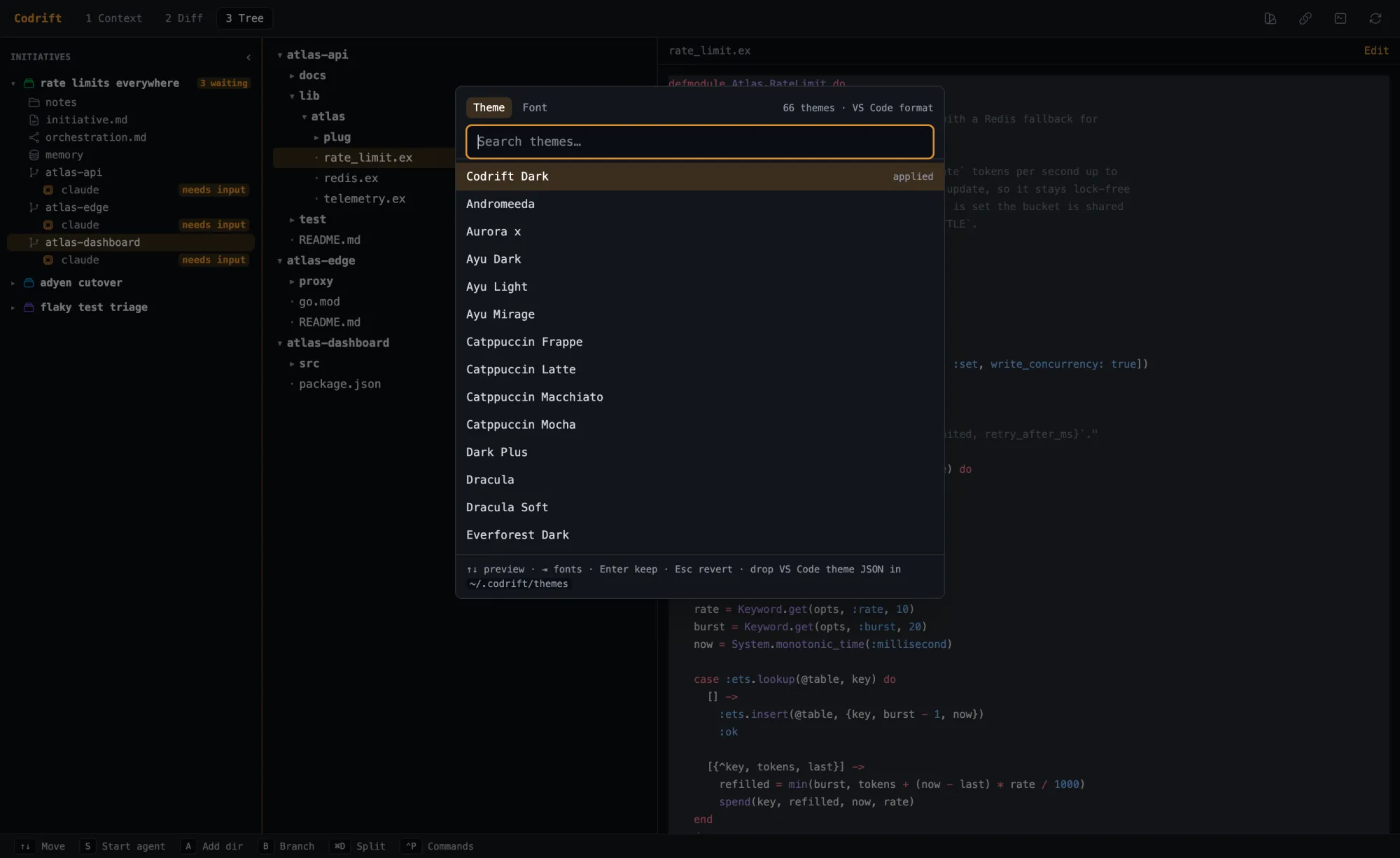
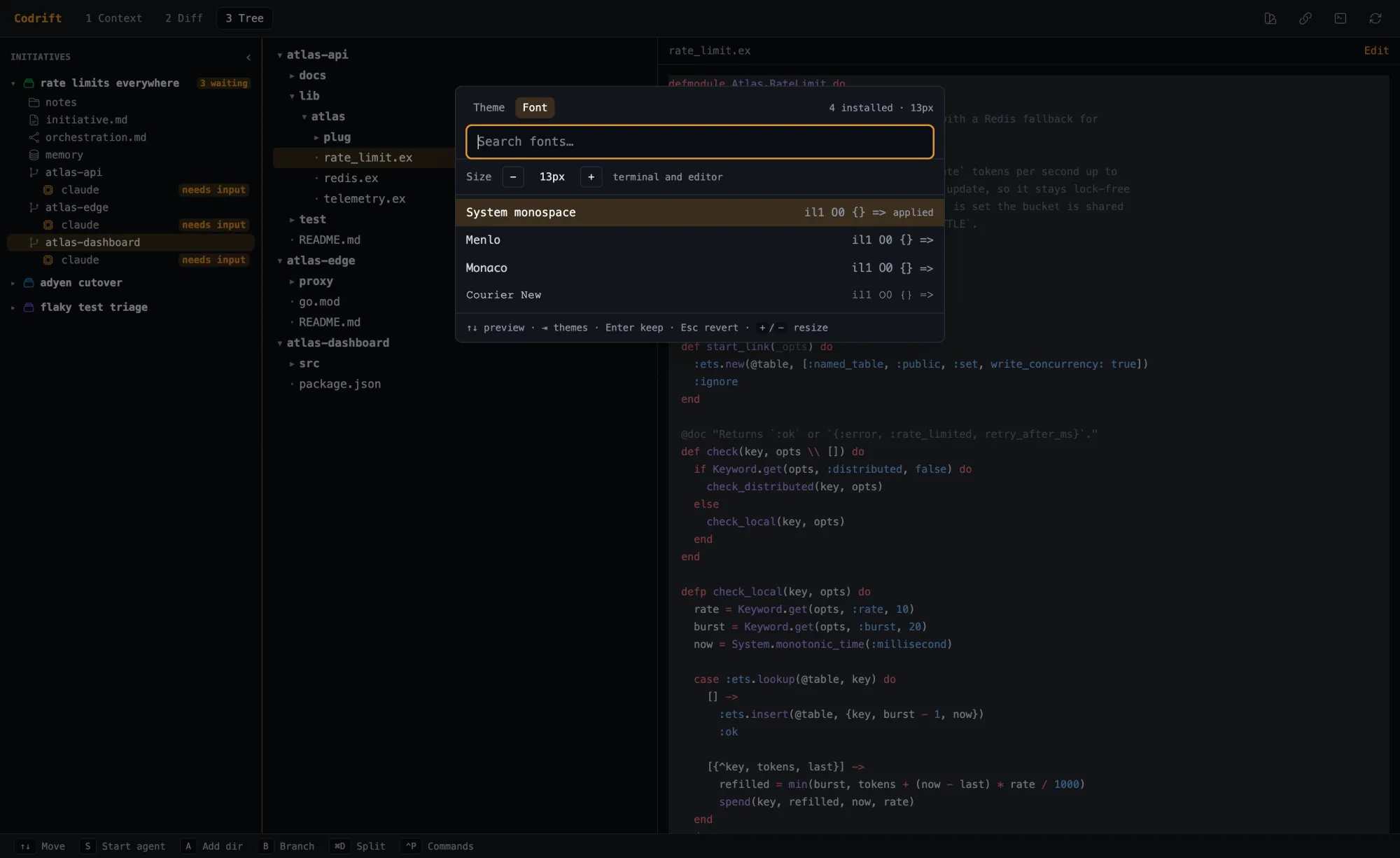
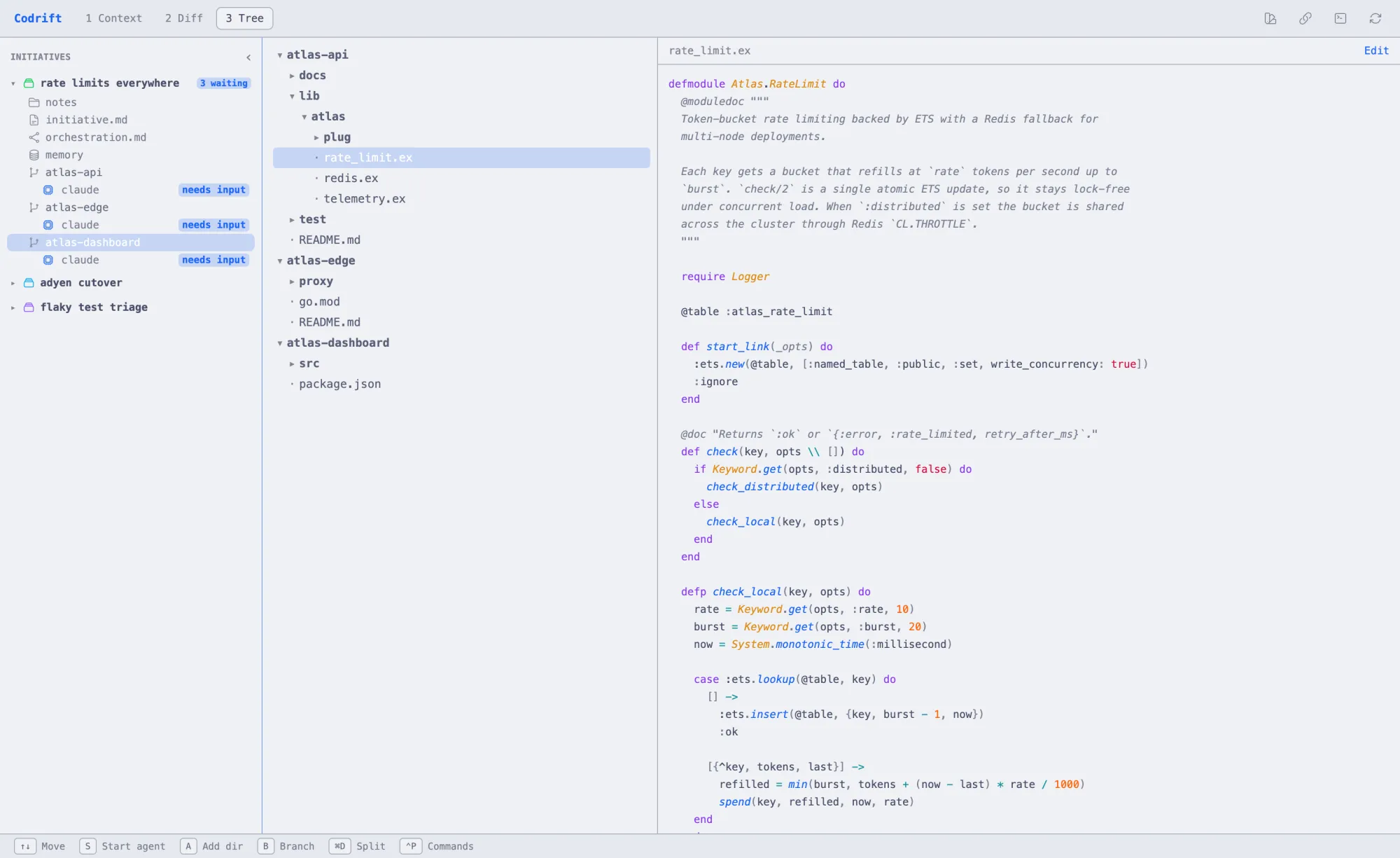
Codrift reads VS Code theme JSON. Sixty-six are bundled; drop any other into
~/.codrift/themes and it shows up in the
picker. Theme and font apply live to the whole surface, terminals included, so the
agent panes match everything else on your screen.
Connect GitHub, GitHub Projects, GitLab, Linear or Linear Projects and import an
issue straight into an initiative’s context folder, where every agent picks it up
automatically through --add-dir.
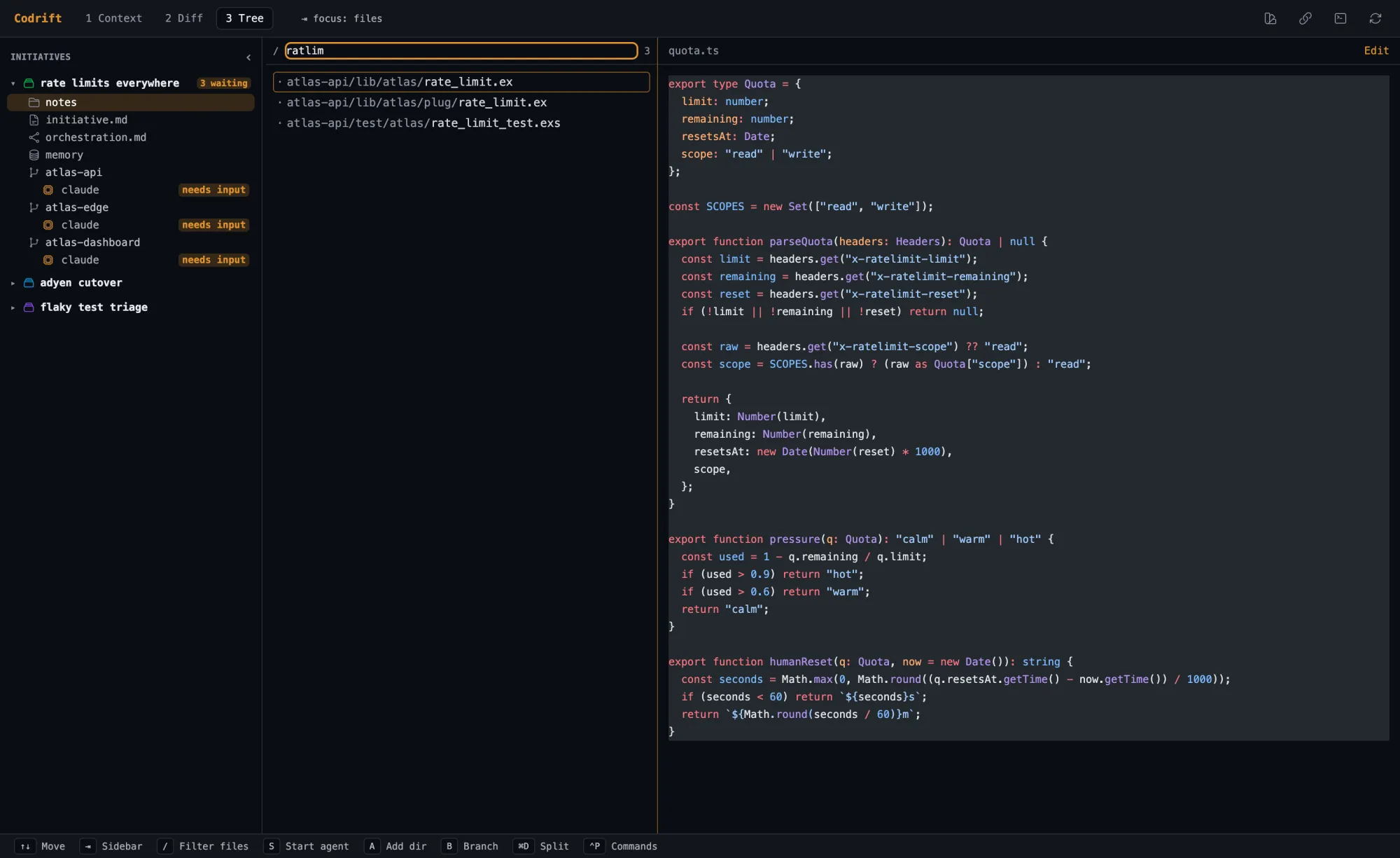
3 opens a gitignore-aware file tree with syntax-highlighted previews, a fuzzy filter on /, and a CodeMirror editor with vim bindings on e.
08 / install
A native desktop app for macOS and Linux. No Node, no Erlang, no Ruby on your machine because the runtime ships inside. Bring your own agent CLIs and Codrift drives them.
MIT licensed, source on GitHub, free to run.
the short way
Puts Codrift.app in Applications and the codrift CLI in ~/.local/bin. Or pick one below.
Not yet code-signed or notarized. The cask strips the download quarantine; if macOS still objects, right-click → Open once. Then codrift mcp install registers the MCP server with Claude Code.
That is the whole loop. Everything else on this page is what happens after step four.
codrift update reads the releases API,
checks the tarball against the SHA-256 published beside it, unpacks into a staging
directory, and swaps it in with two renames, so a download that dies halfway never
leaves you with half a release. It will not touch a Homebrew-managed install:
rewriting a Cellar prefix behind brew corrupts its manifest, and the next
brew upgrade would undo the whole thing.
And when another codrift sits earlier on
your PATH, it tells you, rather than
updating a copy you are never going to run.
--check exits 0 when there is something newer and 1 when there isn’t, so it drops straight into a shell prompt or a login script.
The MCP server hands agents the tools. The skills teach them when to reach for them: search the shared memory before exploring, check what the other agents in the initiative are touching, write findings back so the next session starts ahead.
Installs into Claude Code, Codex, Cursor, Gemini CLI, Copilot and Opencode. Add -g to install for every project. Or run Setup from the command palette (⌃P) and Codrift opens a terminal that does both this and codrift mcp install for you.